 IntegraSys
IntegraSys transforms industrial automation, letting you model supervisory systems in minutes through intuitive design engineering. Its native library of dynamic components and simplified parameterization eliminate complex code and drastically cut setup time. It's the perfect blend of technical robustness and operational simplicity to accelerate your projects and maximize productivity.
An unedited walkthrough on real hardware — two Siemens S7-1200s and a LOGO!, wired up and running at the same time.
No AI shortcuts, no black box — every feature below is built to be drawn, checked and trusted by the person building the screen.
Import your own valve, tank, pump and pipe artwork once, then drag it onto any screen like a native shape.
Group symbols, labels and tag bindings into one reusable item — build a valve assembly once, reuse it everywhere.
Imported GIFs actually animate on screen — motors spin, indicators blink — not just a frozen first frame.
Wire levels, states and analog readouts straight to your PLC tags, item by item, with full control over every link.
Built-in trend windows plot tag history over time, so operators can see drift before it becomes downtime.
The interface itself ships in English, Portuguese and Spanish — not machine-translated, built into the app.
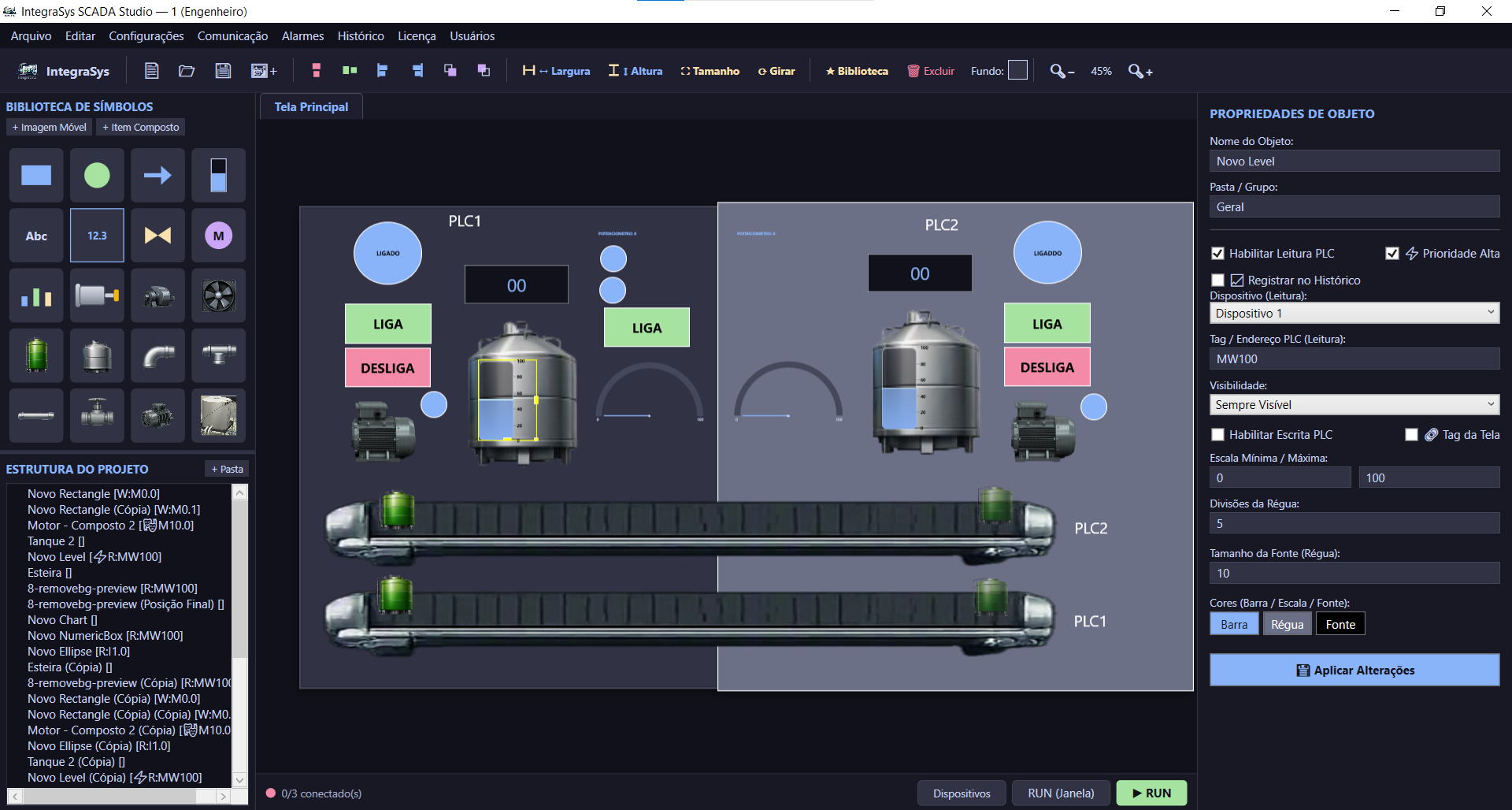
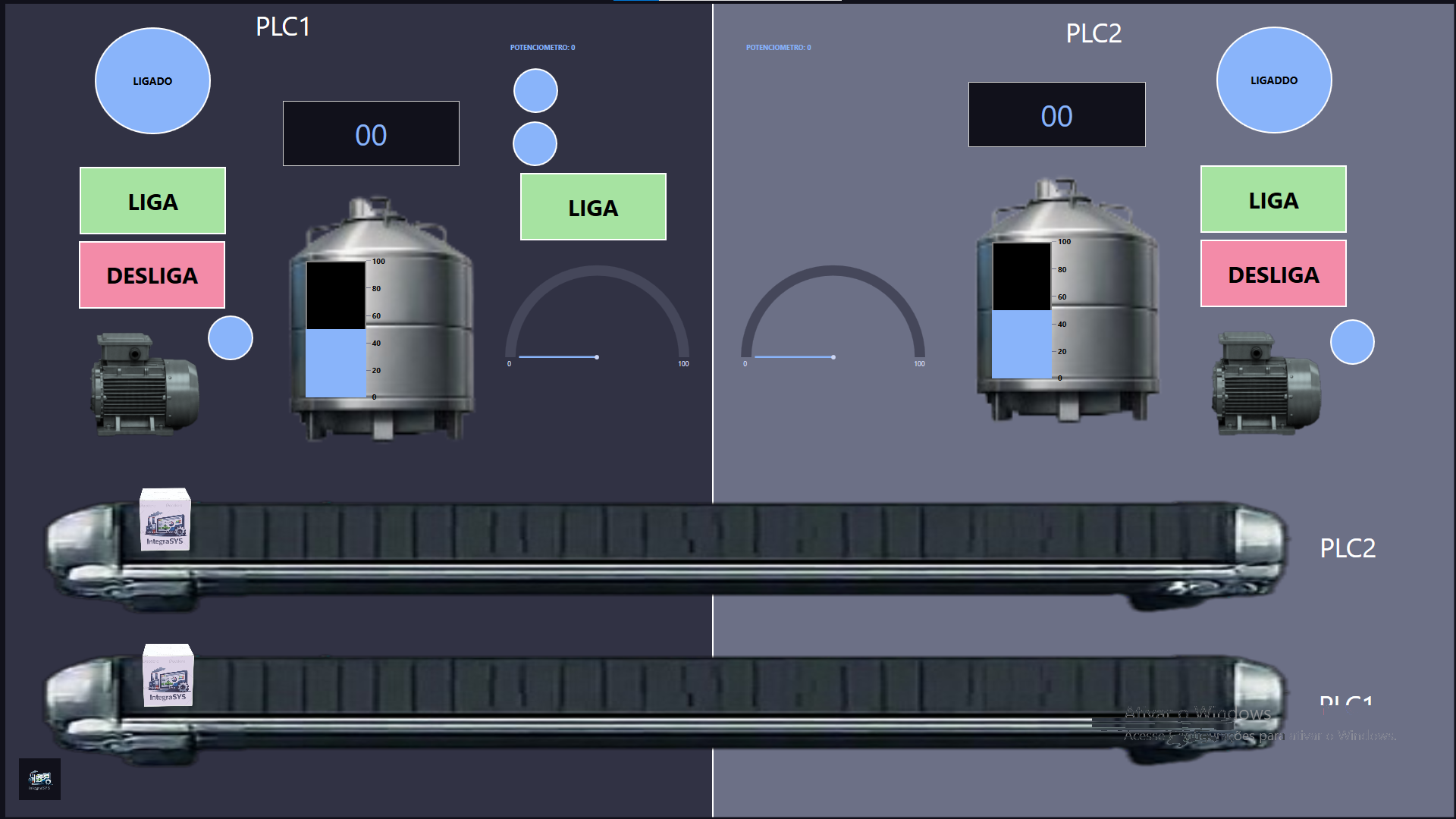
Every screen you saw above is a real IntegraSys project, not a mockup: tank levels, IO-Link sensor rows and valve state indicators, hand-built and tag-mapped so what the operator sees is exactly what the plant is doing.
That same workflow — draw the symbol, bind the tag, check it against the real device — is what we used to build a training-bench SCADA screen for SOMA's pump and valve rig, sensor row by sensor row.
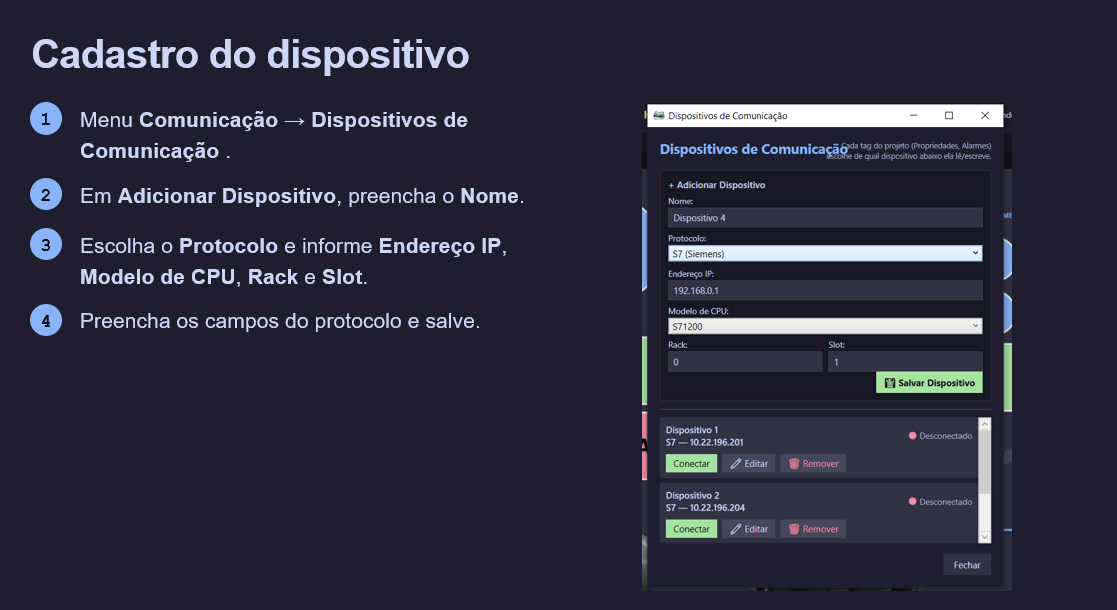
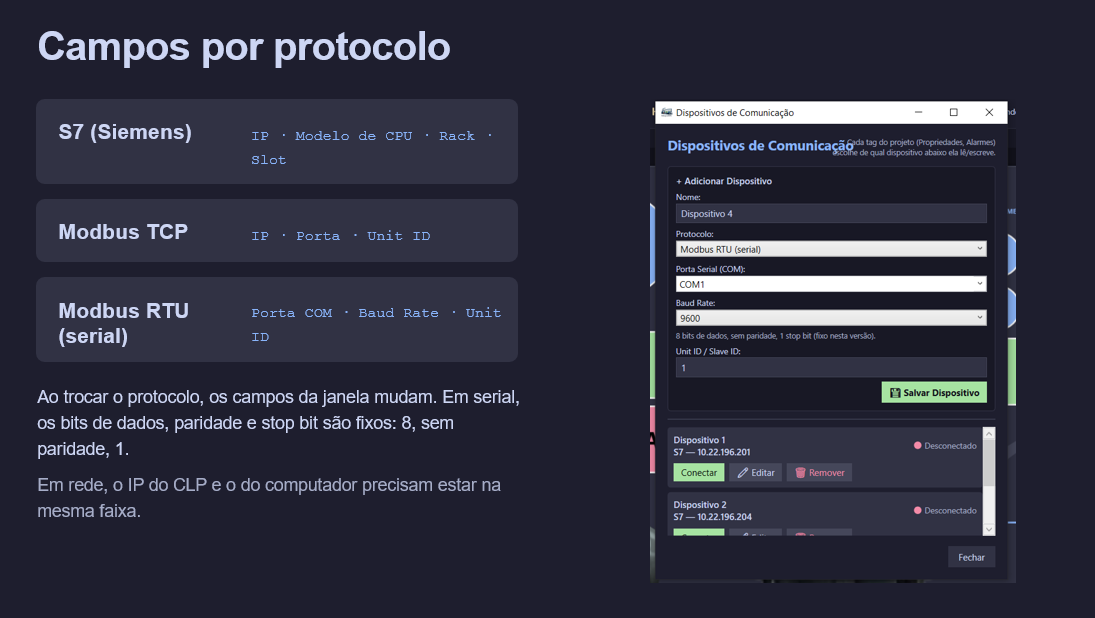
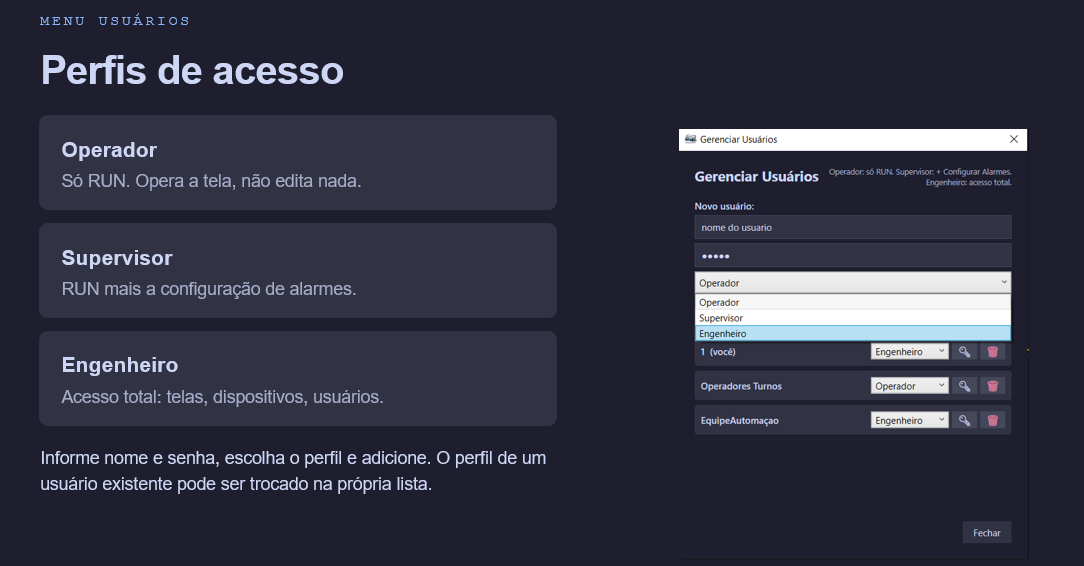
Straight from the tutorial deck — connect a PLC, organize screens, add alarms, charts and user profiles.
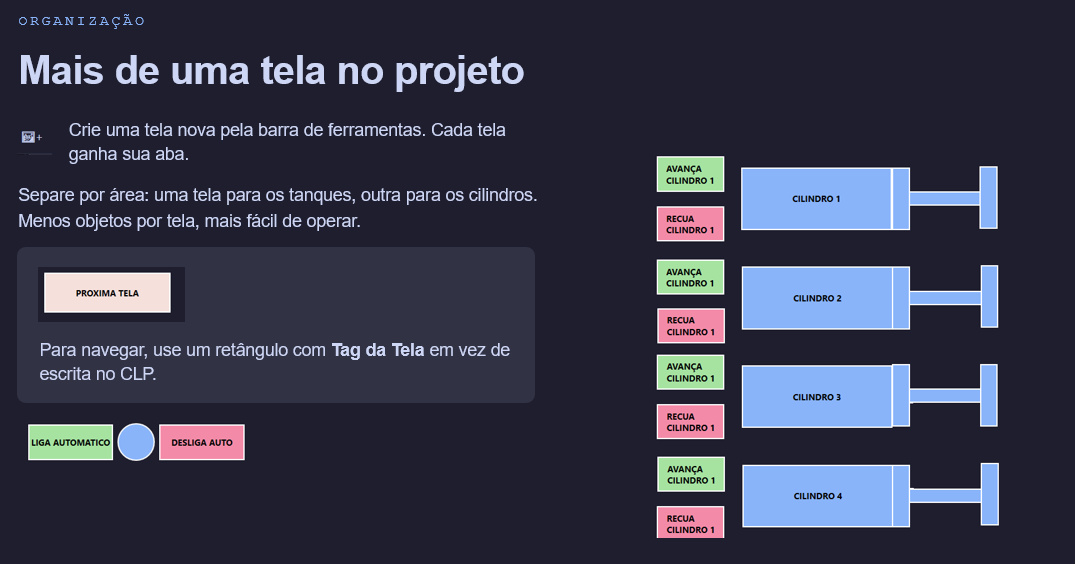
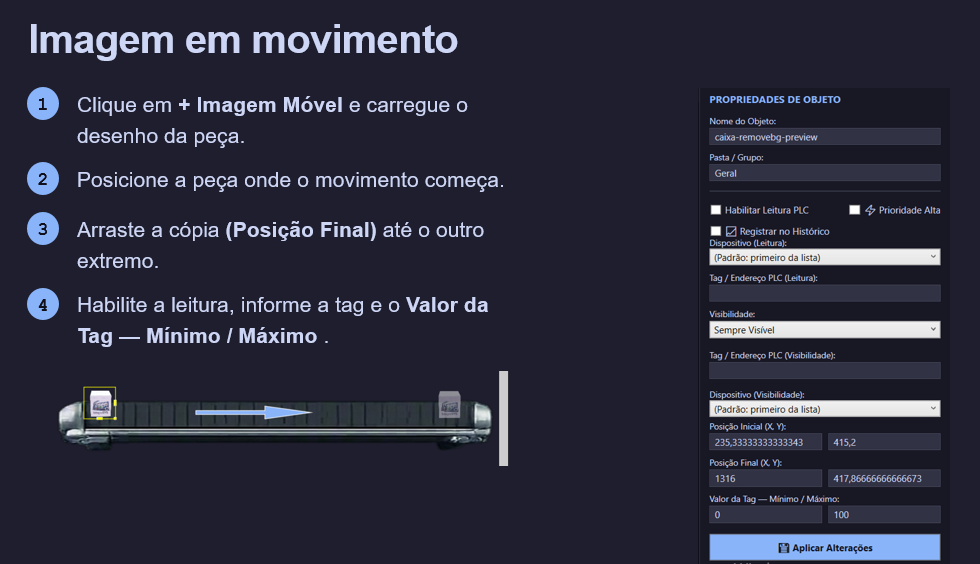
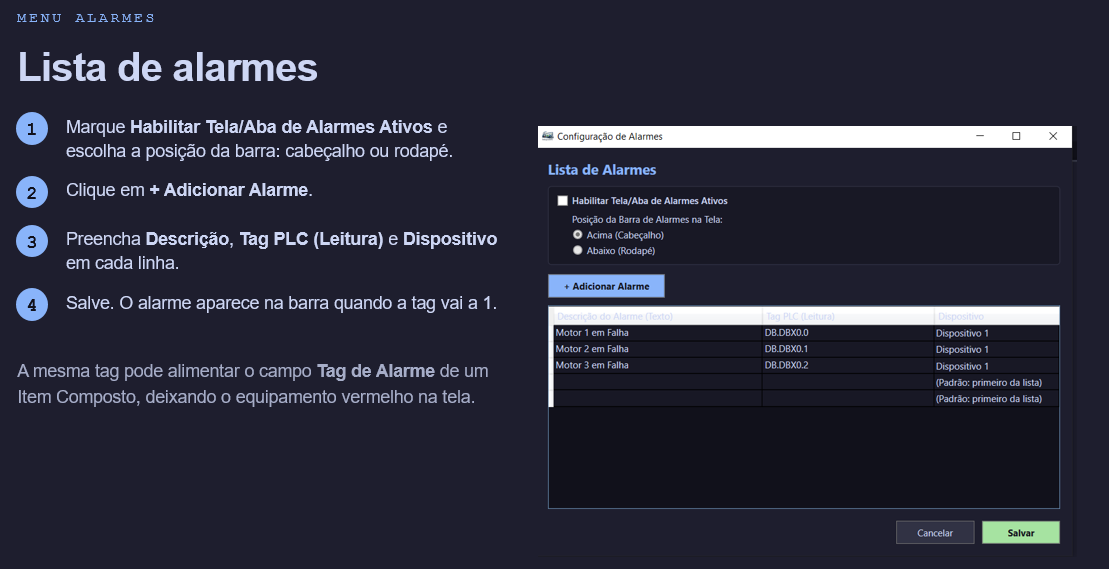
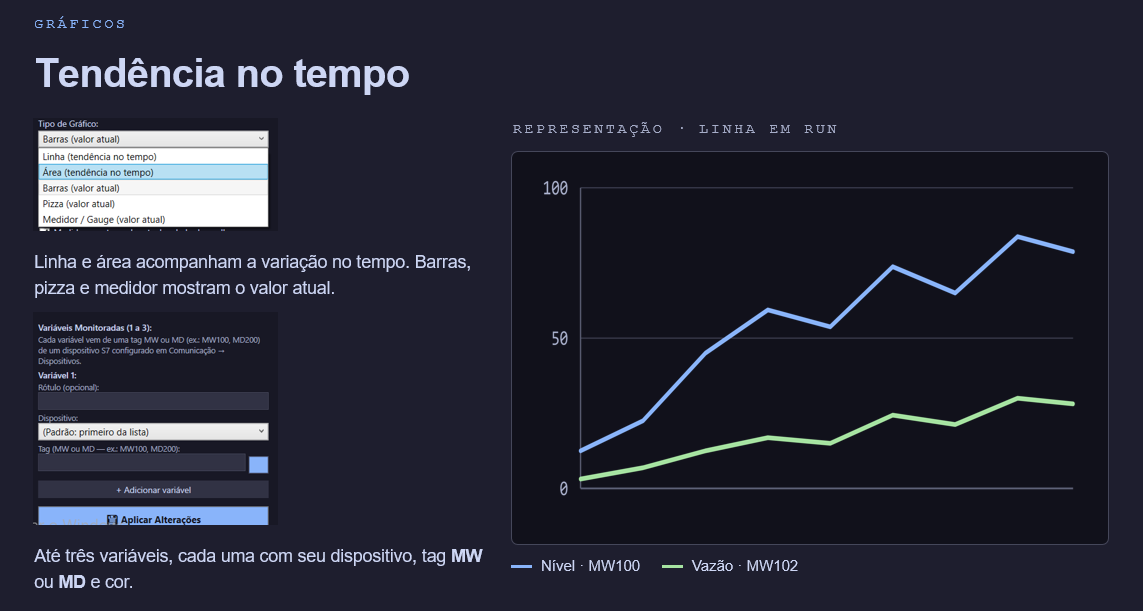
Not a concept — IntegraSys is already drawing live screens on real training and production rigs.
Training-bench SCADA screen
Pump and valve rig mapped sensor by sensor, with live valve states and tank levels wired straight to the PLC tags.
Hands-on teaching screens
Used on a teaching bench so students build and wire real operator screens against actual S7 and Modbus devices.
Multi-PLC, one screen
Two Siemens S7-1200s and a LOGO! driven from a single screen at the same time — see the demo above.
“Add a real customer quote here once you have permission to publish it.”— Name, role, company
Pick the tier that matches your project size. Every paid tier is a perpetual license — updates and support beyond year one are an optional add-on, never a requirement to keep using what you bought.
Prices in USD. An optional annual maintenance & updates plan is available on every paid tier — ask when you contact us.
What IntegraSys does today, what it doesn't, and how licensing works — no surprises.
Siemens S7 (S7-200/300/400/1200/1500 and LOGO!) over the native S7 protocol, plus any device that speaks Modbus TCP or Modbus RTU (serial). You can mix several PLCs of different brands on the same screen.
Not yet. Today the supported drivers are Siemens S7 and Modbus TCP/RTU. OPC UA and Allen-Bradley (EtherNet/IP) are on the roadmap — if you need them, tell us, it helps us prioritize.
No. Every paid tier is a one-time, perpetual license — you buy it once and keep using it forever. An annual maintenance & updates plan is optional, never required to keep the software running.
Yes. The software runs fully offline on the operator station. Internet is only needed once, to activate your license code — never for day-to-day operation.
After purchase you get an activation code by email. In the app, open License → Activate with code, paste it, and the license is bound to that computer. The free tier (up to 25 tags) needs no activation at all.
The free Starter tier is the full editor with no watermark and no time limit, capped at 25 PLC tags. Paid tiers raise (or remove) the tag limit and add direct support. Nothing you build on the free tier is lost when you upgrade.
Still unsure if it fits your project? Reach out below — you'll talk to the developer directly.
Pick a tier and send it — you'll hear back directly from the person who builds IntegraSys, not a support queue.